https://www.linuxshelltips.com/disable-ssh-user-login/
Disable SSH Access to User
You can log in to a system using SSH with any user, using the following syntax:
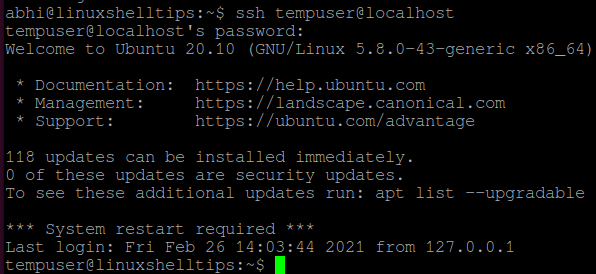
Right now, SSH access is allowed on my machine for all users. Let us now deny access to a particular user called ‘tempuser‘.
Open file ‘/etc/ssh/sshd_config’ in any text editor.
Add the following line at the end of the file:
Important: There is a ‘Tab‘ between ‘DenyUsers‘ and ‘tempuser‘ and not space. It won’t recognize the directive if you add a space.
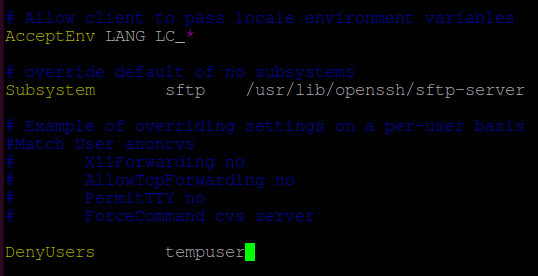
Save and exit the file.
Restart SSH server with the following command:
If you are using a system that does not have SystemD, run:
Now, try logging in to localhost with user ‘tempuser’ using SSH. It should show the error ‘Permission denied’, as displayed below:

Disable SSH Root Access
The same way described above can be used to disable login to a root user. However to disable complete root access, i.e., to disable access to all root users, follow the steps given below.
Open the file ‘/etc/ssh/sshd_config’ in any text editor and search for the string ‘PermitRootLogin’. Uncomment the line and if it has any other value, set the value to ‘no’.
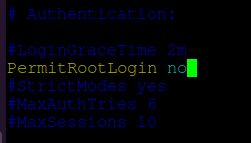
Save and exit the file. Restart SSH with:
Or if you are not having SystemD:
Now try logging in to localhost with user ‘root’. It will also show the error ‘Permission Denied’.


No comments:
Post a Comment